
No Other Cricket App Does This – AllCric AI Signals Explained
What Makes a Cricket App Feature Feel Different?
Most cricket apps show you what has happened: the score, the scorecard, the commentary. Few try to tell you what is changing. That is the idea behind AllCric AI Signals, and it is why many fans see it as a unique cricket app feature.
A word on the title. “No other cricket app does this” is a bold line, and AllCric has not published proof that no one else offers anything similar. So this article does not ask you to take that on trust. It explains what the signals do, what is genuinely different about how AllCric uses them and where other tools overlap, so you can judge for yourself.
What Are AllCric AI Signals?
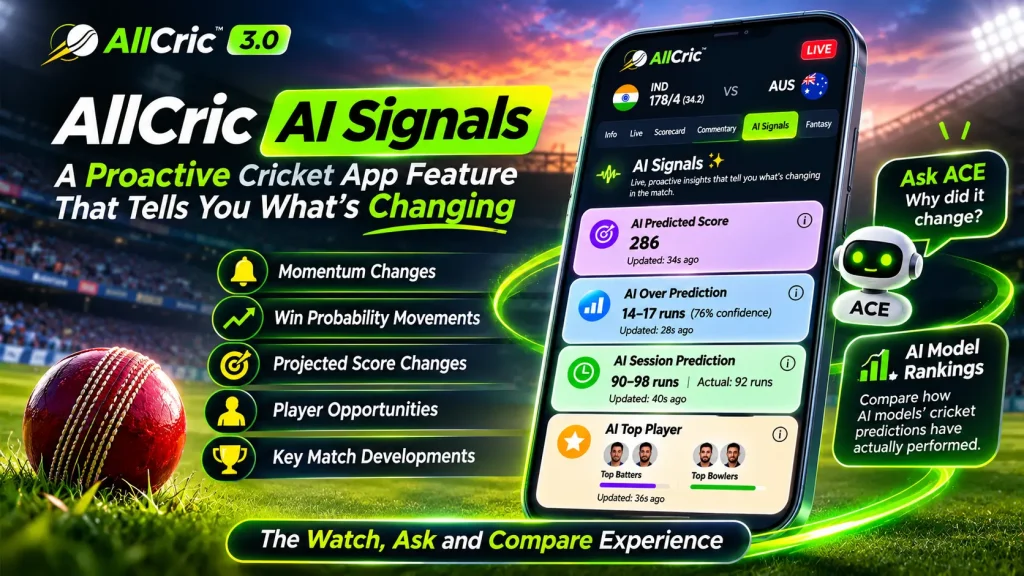
AI Signals is the “watch” part of AllCric 3.0. AllCric continuously analyses the live match and surfaces important changes as they happen. You do not need to keep refreshing the scorecard or work out for yourself that something has shifted.
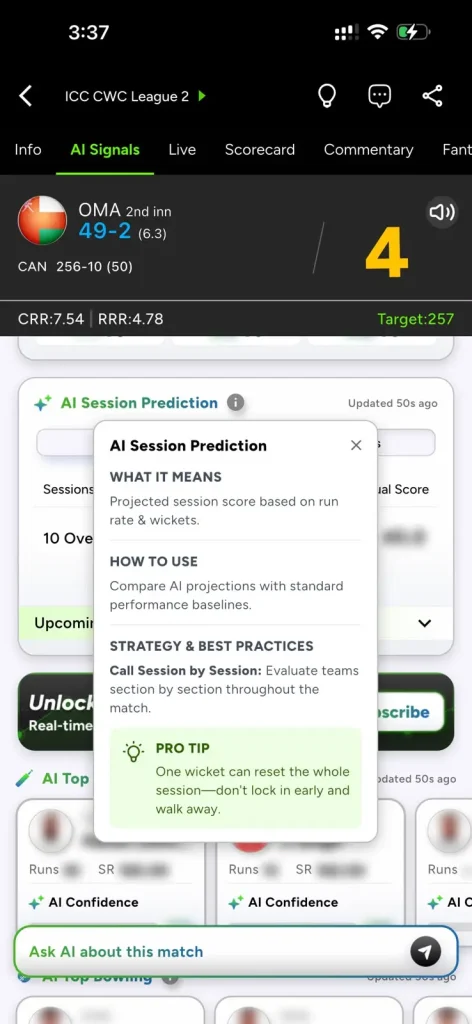
In the app, AI Signals sits in its own tab on every match page, next to Info, Live, Scorecard, Commentary and Fantasy. Each signal has a label, a reading, an “Updated” time and a small info icon that explains what it means and how to use it.
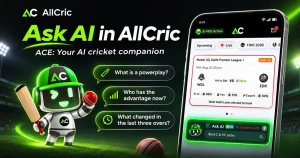
The simple way to remember it: ACE answers when you ask. AI Signals tells you when something changes.
What AI Signals Show You
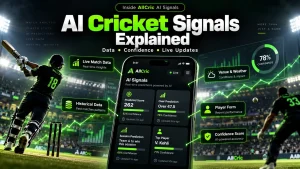
AllCric describes signals as covering momentum changes, win probability movements, projected score changes, player opportunities and important match developments. These are the cards visible in the app’s AI Signals tab:
|
Signal |
What it shows |
Based on (per the app) |
|
AI Predicted Score |
Projected innings score |
Run rate and wickets |
|
AI Over Prediction |
Likely over outcome, with a confidence percentage |
Form and pitch conditions |
|
AI Session Prediction |
Projected session score next to the actual score |
Run rate and wickets |
|
AI Top Player |
Top three batters and bowlers, with a confidence bar |
Recent form |
Each card also carries a short guide with “What it means,” “How to use,” strategy tips and a pro tip. That makes it a cricket app with AI signals that explains itself, not just a screen of numbers.
Why “Proactive” Is the Big Idea
Most match tools wait for you. You open a page, read a number and decide whether it matters. A proactive tool flips that: it watches the game and points to the moment that deserves your attention.
This suits how people really watch cricket. You may be at work, travelling or following two matches at once. Instead of checking every over, you can let the signals flag a momentum swing or a shift in the win probability, then step in.
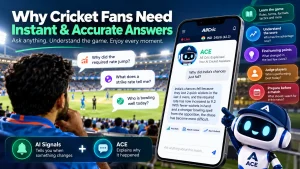
And when a signal surprises you, ask ACE, AllCric’s AI cricket companion, what changed. Signals tell you something moved. ACE helps you understand why. Together with AI Model Rankings, which compare how AI models’ cricket predictions have actually performed, they form the Watch, Ask and Compare experience of AllCric 3.0.
What Is Truly Different, and What Is Not
Being fair makes the case stronger. Here is an honest view.
Not unique on its own: win probability and score projections. Other cricket analytics products also publish live win probability models, and some AI-based match tools exist. A single number is not what sets a tool apart.
What AllCric positions as different:
- Proactive alerts. Signals aim to tell you when the game changes, not just show a number.
- A connected experience. Signals sit beside ACE for questions and AI Model Rankings for comparing predictions, all in one app.
- Built-in explanations. Every signal comes with a plain-language guide.
- Live match context. ACE understands the game you are following.
Whether this is the best cricket AI feature for you depends on how you watch. If you like to check and compare, it fits well. Whether any one app is the only one to do this is a claim AllCric has not backed with published evidence, so treat it as marketing language, not fact.
How to Read an AI Signal in Four Steps
To get the most from any cricket app with AI signals, follow a simple routine:
- Check the match first. Look at the score, wickets, overs and run rates at the top of the screen.
- Read the signal and its guide. Tap the info icon to see what it means and how to use it.
- Check how fresh it is. Every card shows when it was last updated. In the screens we reviewed, updates were tens of seconds old.
- Watch the direction. One reading matters less than the trend. A single odd over rarely breaks a pattern.
The best cricket AI feature is one you can question. If you want to know why a number moved, ask ACE a short, specific question such as “What changed in the last three overs?”
FAQS
They are live match insights that surface important changes as they happen, such as momentum shifts, win probability movements and projected score changes.
Best” depends on what you need. AI Signals suit fans who want to be alerted to changes, not just look up numbers.
Win probability alone is not unique. What AllCric emphasises is the proactive approach and how signals connect with ACE and AI Model Rankings.
ACE answers when you ask. AI Signals tells you when something changes.
Some AI Signals data is behind a subscription prompt. New users get 3 free tips to try AllCric’s AI predictions.